Staff, commissions & payroll
Staff files, attendance, trip commissions from the day plan, the half-month staff statement and paying out.
Who uses it: Accountant, manager
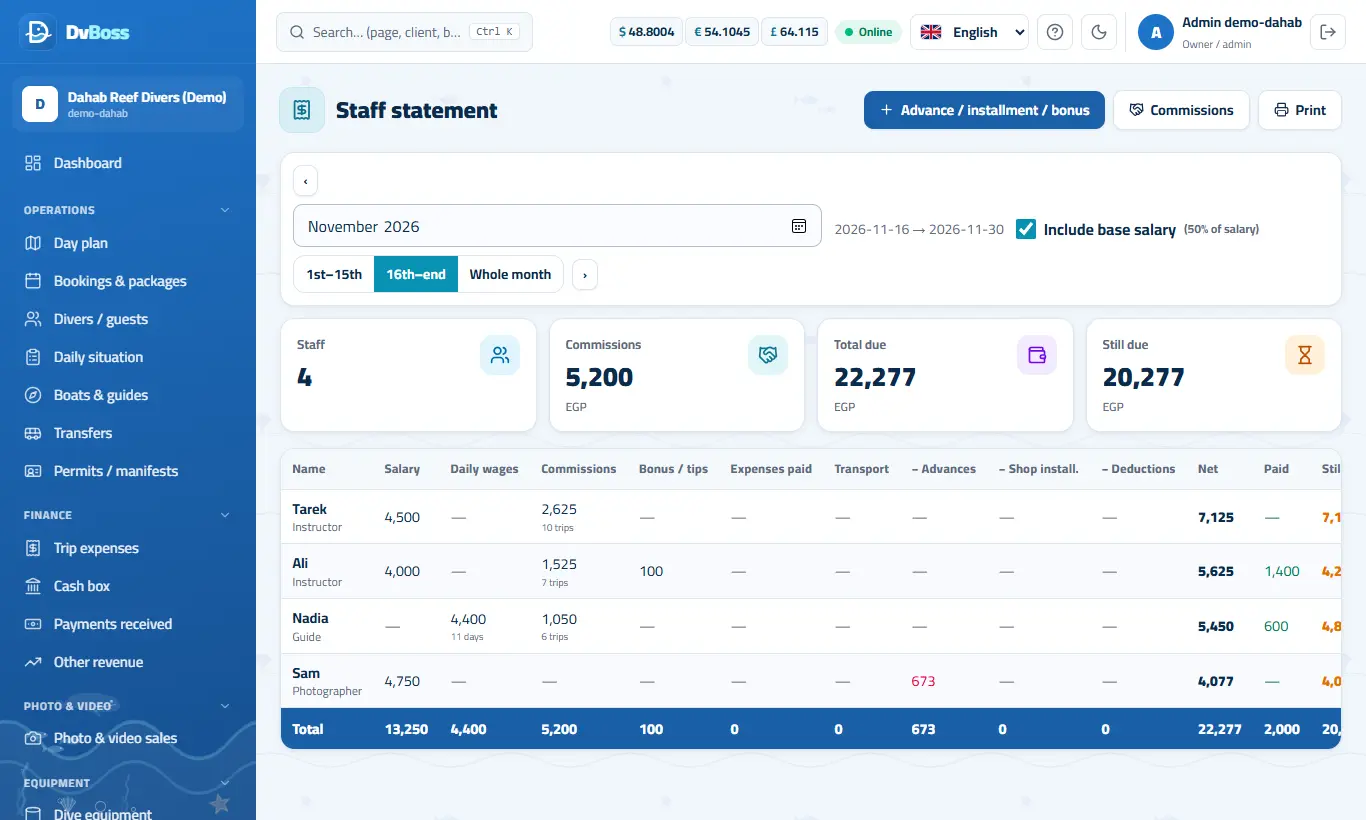
DvBoss keeps one running account per employee. Their statement for any half month adds up salary share, daily wages, commissions, bonuses and expenses, subtracts advances and deductions, and shows what was paid and what is still due.
Step by step
- 1
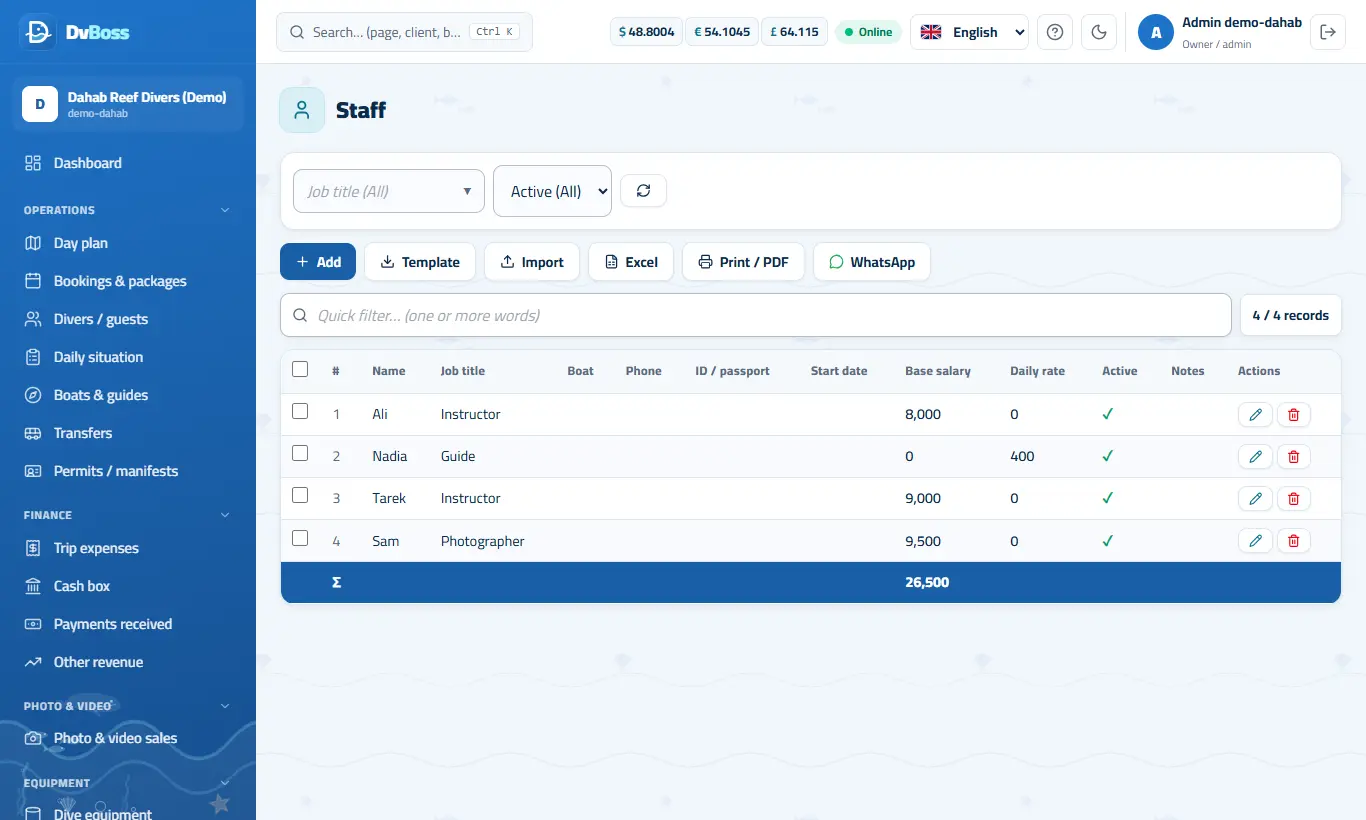
Create every employee under Staff: job title, monthly base salary or daily rate, phone, bank or InstaPay account, and the certificate/insurance expiry (the dashboard warns 30 days ahead).
- 2
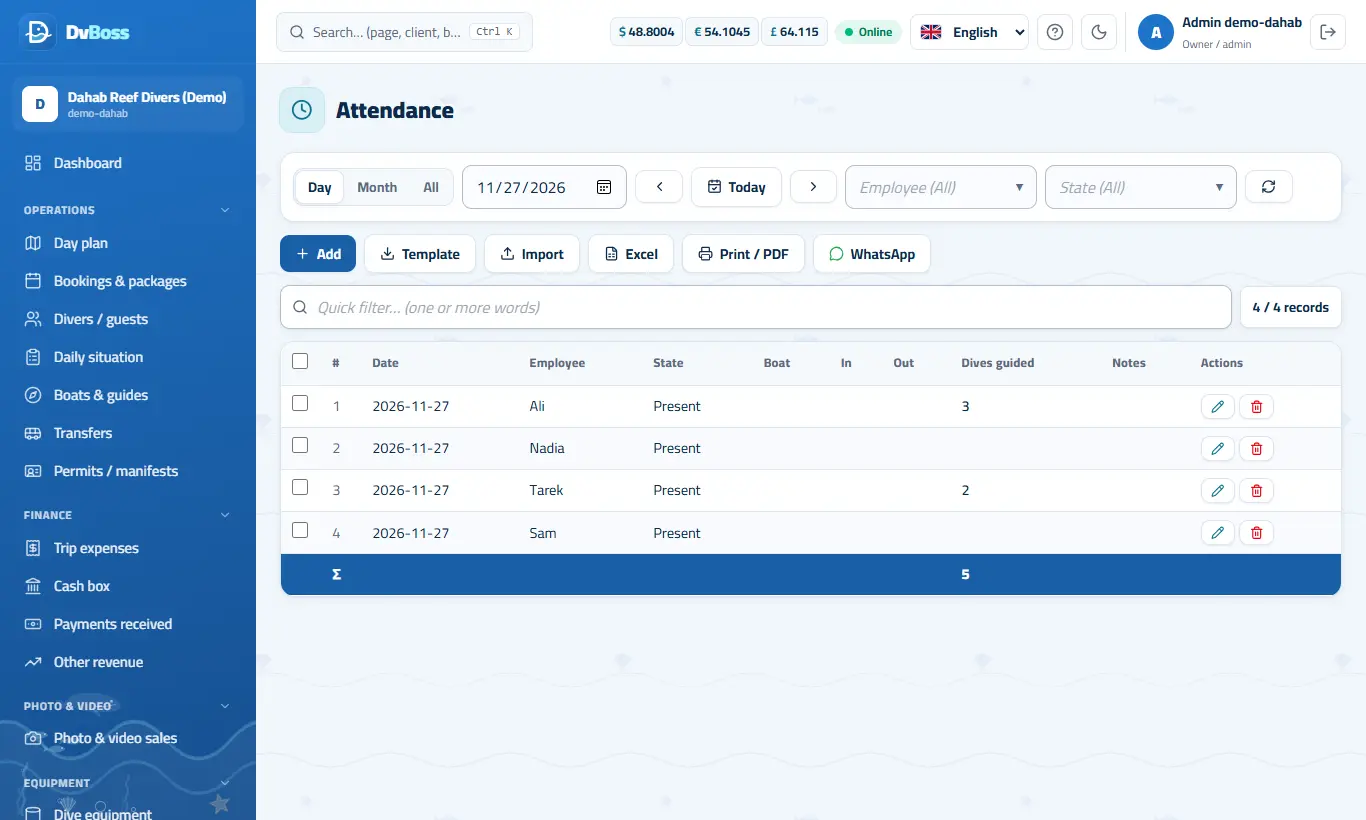
Each day mark attendance: present, absent, day off or sick, with the number of dives guided. Only present days are paid for daily-rate staff.
- 3
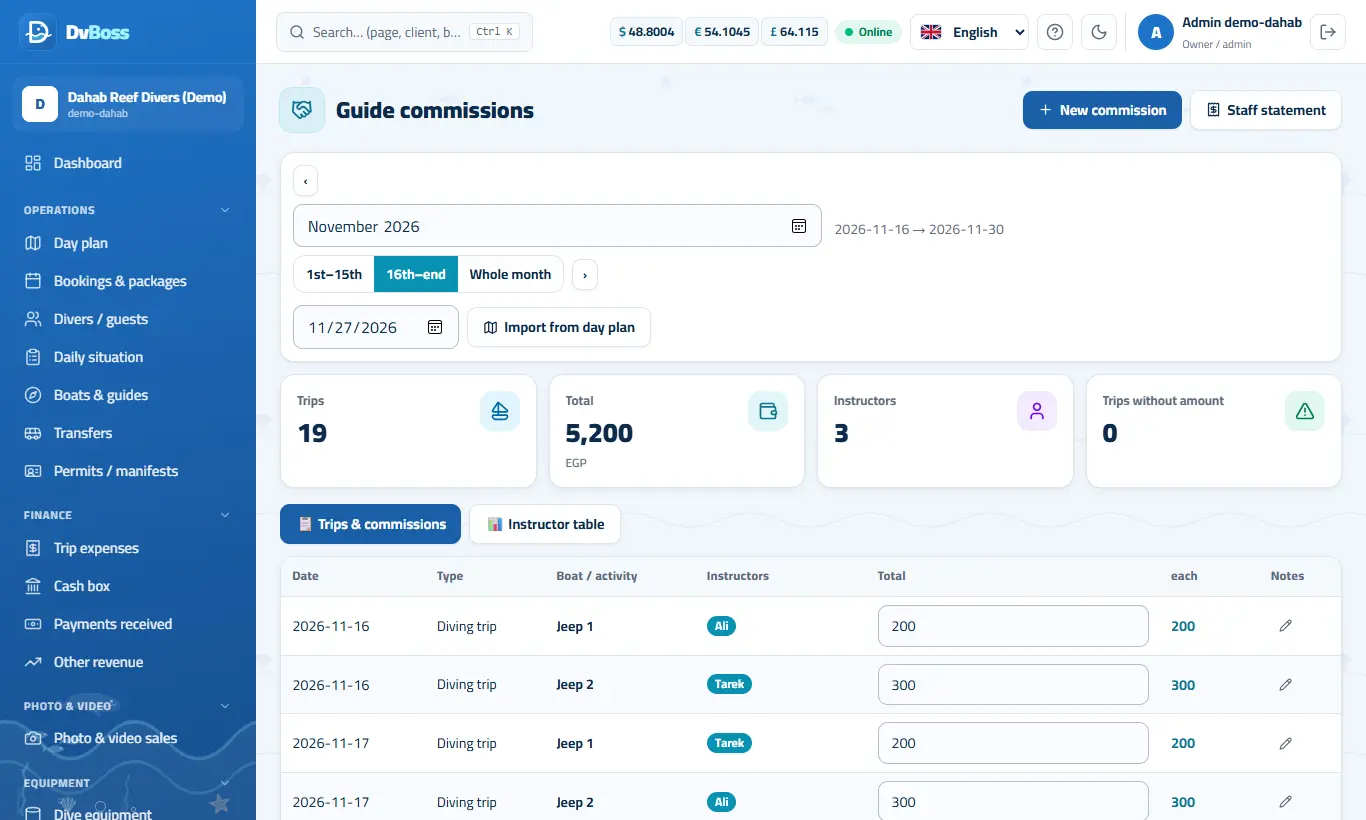
After the day plan is done, open Commissions, pick the date and click from day plan: one commission row is made per boat with its guides. Type the commission total; it is split equally between them.
- 4
Record other money in the Staff ledger: bonuses/tips, expenses paid by staff, transport, advances, shop installments and deductions.
- 5
At mid-month and month-end open Staff statement, choose the half month and check each person.
- 6
Click a person to see the detail, then Pay balance: it records the payment and the balance becomes zero.
Worked example: Guide Mona, 1–15 December
Mona is paid 400 EGP per day she works. In the first half of December she was present 1 day, shared a boat commission of 600 EGP with Karim (300 each), got a 200 EGP bonus, and took a 500 EGP cash-box advance.
- Wages 1 × 400 = 400
- Commission 300, bonus 200 → added 900
- Cuts: advance 500
- Net = 400
The accountant clicks Mona → Pay balance 400 → her balance is 0.
Common mistakes
Commission split looks wrong. The split counts guides 1–4 on that boat plan. Fix the guides on the commission row (or the plan) and save.
No wages for a daily worker. Attendance must say Present, and the employee needs a daily rate.
Screens