Dashboard
The selected day at a glance, for everyone; amounts only for roles with money access.
In the app: /
What this screen is for
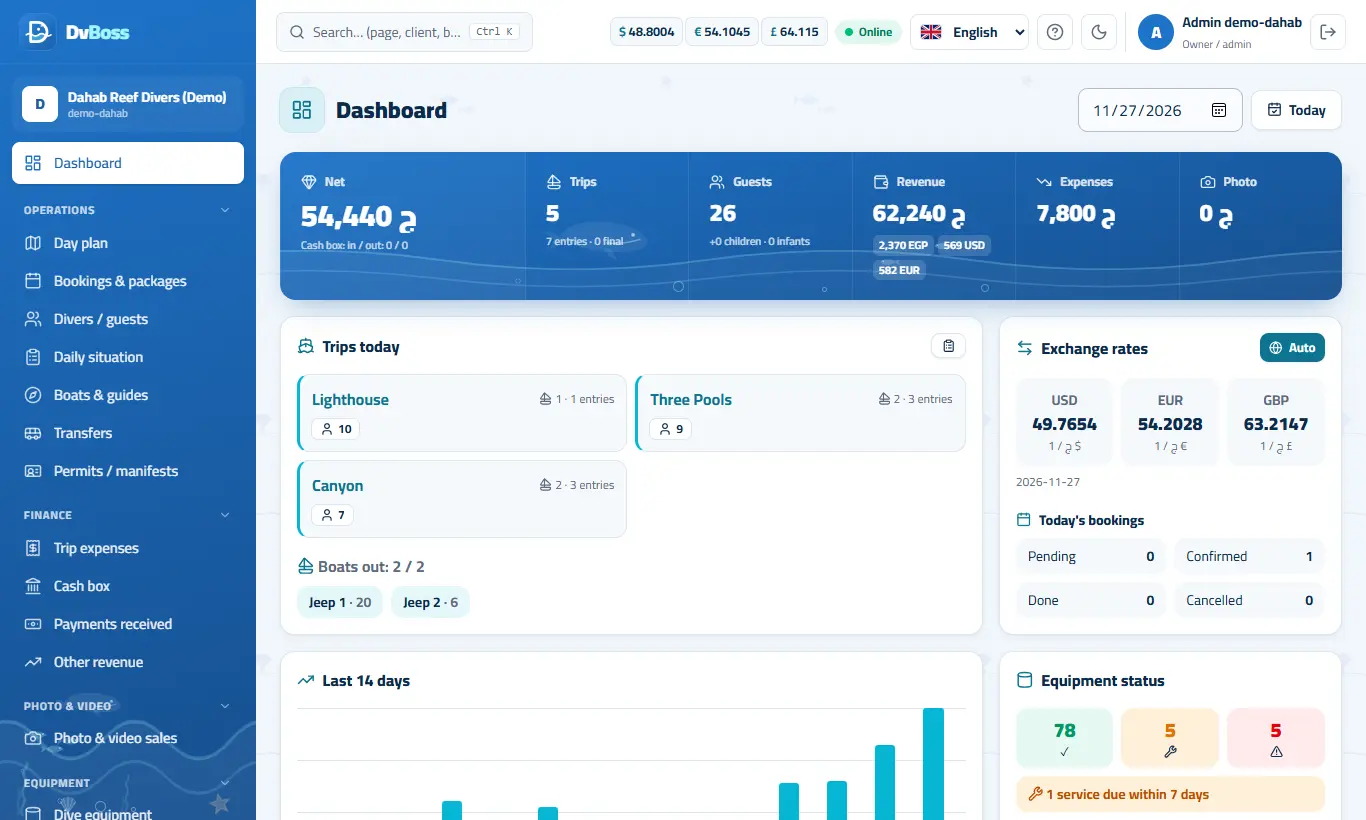
Pick a date at the top (or Today). All numbers are for that day except the 14-day chart and the month's top clients. See Reports → Dashboard numbers for how each figure is calculated.
Screens
 12345678910
- 1
Search (Ctrl+K) — find any page, guest, diver, booking or permit.
- 2
Language — Arabic, English, German or French, saved for your user.
- 3
? — opens this guide.
- 4
Dark mode.
- 5
Menu — grouped by Operations, Finance, Photo, Equipment, Staff, Reports and Administration.
- 6
The day in numbers — net, trips, guests, revenue, expenses and photo.
- 7
Trip status — each destination with its boats, rows and guests.
- 8
Exchange rates of the day; Auto fetches market rates.
- 9
Last 14 days — revenue against expenses.
- 10
Equipment — good, in service, damaged and services due.