Guide commissions
Commission per trip and how it is split between instructors.
In the app: /commissions
Screens
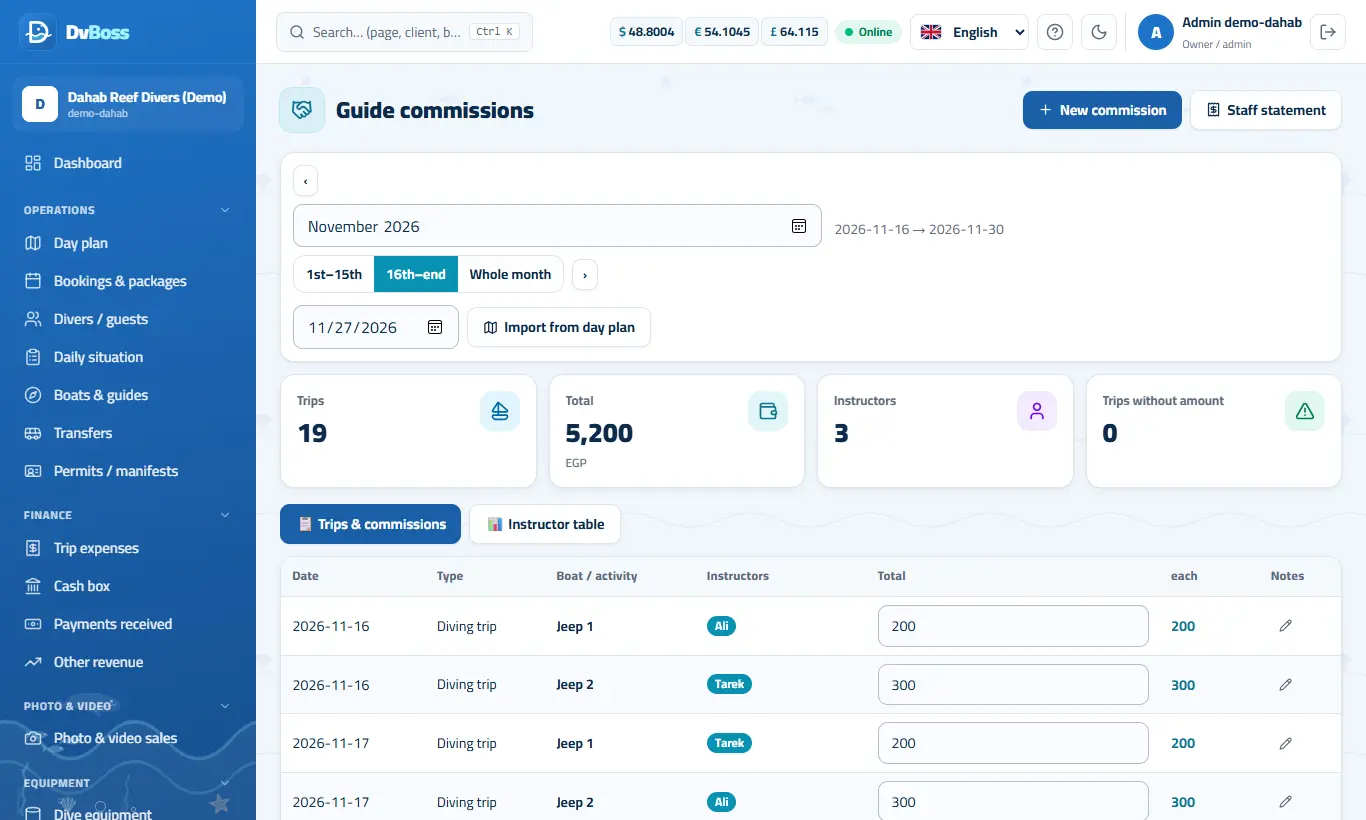
Buttons and controls
Date / ◀ ▶ — the day (or period) shown.
From day plan — creates one row per boat that has guides that day (safe to click twice).
Add — a commission by hand: type (dive, course, snorkel, sales, other), boat, activity, instructors and total.
Amount — typed directly in the list; the share per person updates.
Trips / Instructor table tabs — the table shows each instructor's share per day with totals and can be printed.
Fields
Every field of the form, in the order the form shows them. * = required. "automatic" = filled in by the system.
| Field | Type | What to enter |
|---|---|---|
| Date* | Date | The day this row belongs to. Reports, rates and closing all go by this date. |
| Type* | Choice | Diving trip, course, snorkeling, sales/shop or other. Diving tripCourseSnorkelingSales / shopOther |
| Boat / beach | Pick from a list | Boat or beach of the trip. |
| Activity | Pick from a list | The activity (fun dive, intro, snorkel, course…), from Lists → Activities. |
| Main guide | Pick a record | Main guide. |
| Commission total* | Amount | The whole commission for the trip, before splitting. |
| Split between | Whole number · automatic | How many instructors share it. Automatic. |
| Per person | Amount · automatic | Amount ÷ instructors. Automatic. |
| Notes | Text | Anything worth remembering; free text. |
Good to know
The cards show the number of trips, total commission, instructors and trips still without an amount.
Who can do what here
| Role | View | Add | Edit | Delete | Unlock final |
|---|---|---|---|---|---|
| Owner / admin | ✓ | ✓ | ✓ | ✓ | ✓ |
| Manager | ✓ | ✓ | ✓ | ✓ | ✓ |
| Accountant | ✓ | ✓ | ✓ | ✓ | ✓ |
| Operations / front desk | ✓ | ✓ | ✓ | — | — |
| Photographer | — | — | — | — | — |
| Permit clerk | — | — | — | — | — |
| Read only | ✓ | — | — | — | — |