Daily situation
The heart of the day: every trip, guest and amount collected, in four currencies.
Who uses it: Front desk, accountant, manager
The situation (السيتويشن) is the list of everything that goes out on a given day: one row per guest or group per trip. Rows from confirmed bookings are already there; walk-ins and agency groups are added directly. Money collected is entered here, so the situation is also the main source of revenue in every report.
Step by step
- 1
Open Daily situation. It opens on today; use ◀ ▶ or the date box to move, or Today to come back. Month and All show more days at once.
- 2
Check the rows that came from bookings and give each one its boat, bus, pickup time and pickup order.
- 3
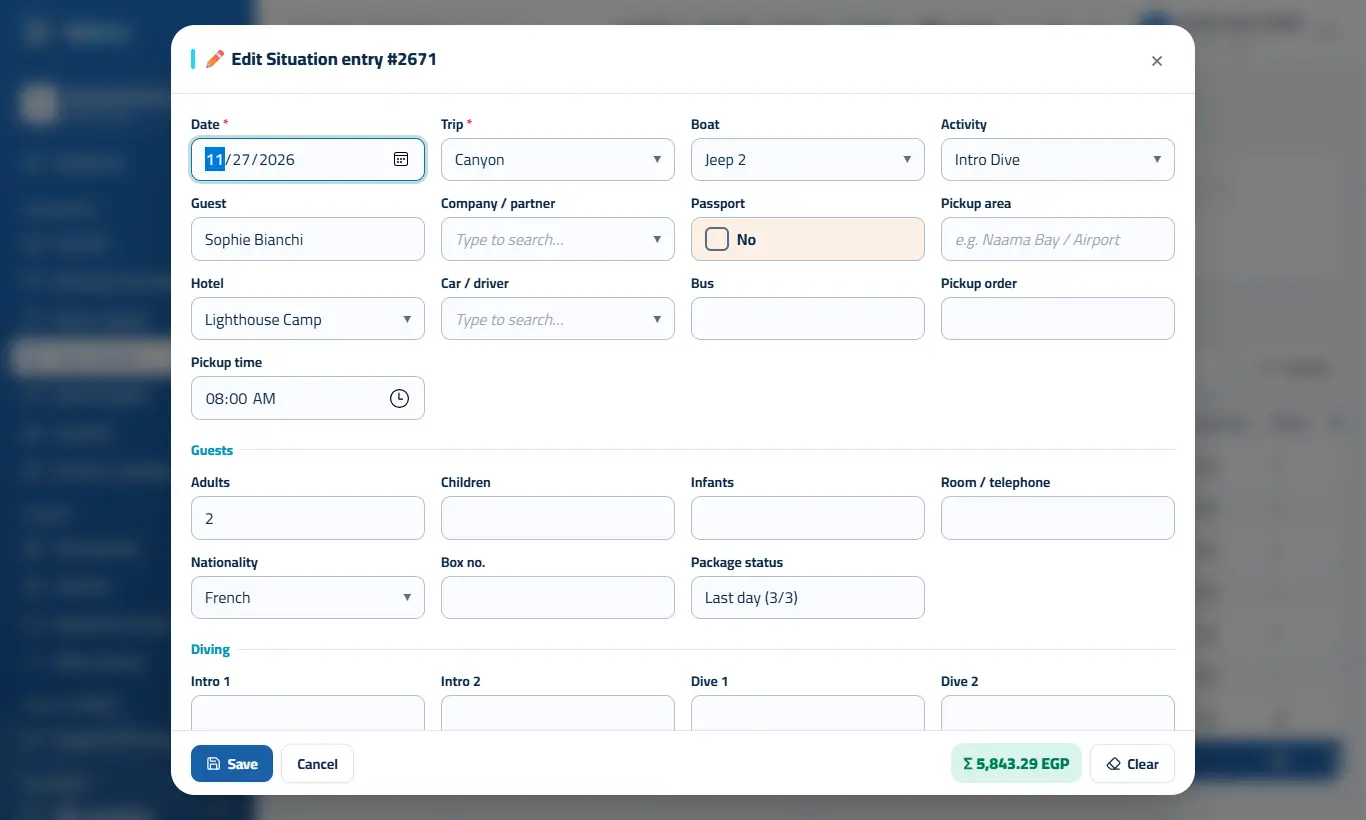
Click Add for a walk-in or an agency group: date and trip are required; add boat, activity, guest name, agency, hotel, number of adults/children/infants.
- 4
Enter what was collected in the field of the currency it was paid in. The total in the base currency is calculated with that day's rate.
- 5
If an agency will pay later, write the open amount in Unpaid in its currency — it appears on the clients report.
- 6
At the end of the day, the accountant checks the totals and closes the day (see Closing the day).
Worked example: One day with three currencies
Rate of the day: 1 USD = 50 EGP, 1 EUR = 55 EGP.
- Walk-in Sara, snorkel, paid 1,500 EGP → total 1,500
- Hans Müller (from his booking), paid 136 EUR → total 136 × 55 = 7,480
- Sun Travel group of 6, agreed 300 USD, collected nothing yet → amount 0, Unpaid 300 USD
The day's situation total is 8,980 EGP; the clients report shows Sun Travel with 300 USD still unpaid.
Common mistakes
"Required: Trip" when saving — every row needs a date and a trip (destination).
The row is greyed out / "Record is final and locked". The day was closed. Ask a manager or accountant to unlock it (see Closing the day).
A payment was typed in the wrong currency field. Edit the row and move the amount; the total recalculates.
Tips
Ctrl+Enter saves the form; Save & new keeps the date, trip and other picks so you can type the next guest quickly.
Rows that came from a booking open the booking when clicked on the day plan.
Screens
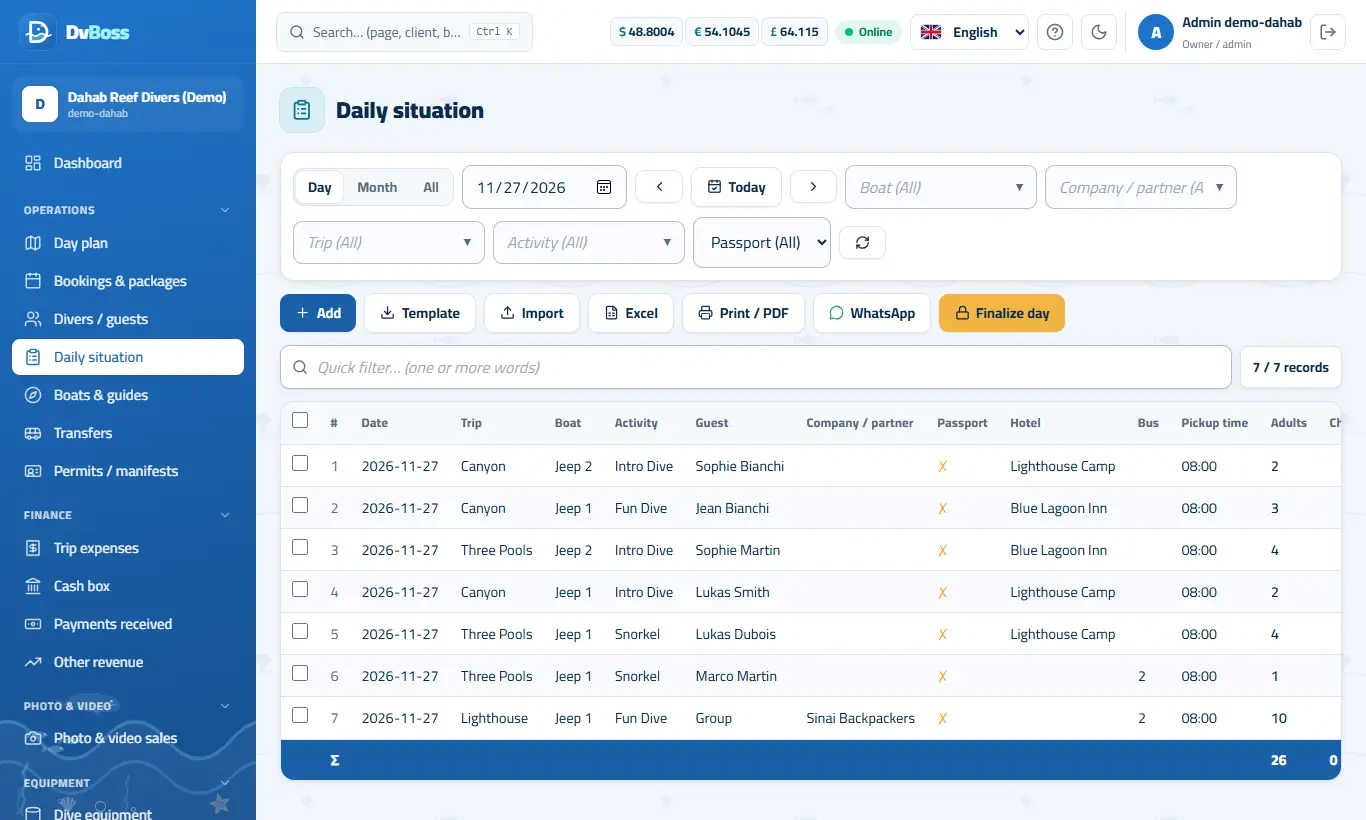 1234567891011
- 1
Day / Month / All — how many days to show.
- 2
Date, ◀ Today ▶ — move between days.
- 3
Filters — boat, agency, trip, activity, passport.
- 4
Add a row (walk-in or group).
- 5
Template / Import CSV — bring rows from a spreadsheet.
- 6
Excel — download the rows shown (CSV).
- 7
Print / PDF.
- 8
WhatsApp — send the day's summary to the center's number.
- 9
Finalize day — close all rows shown (or the ones ticked).
- 10
Quick search in every column.
- 11
Totals of the rows shown.