Bookings & packages
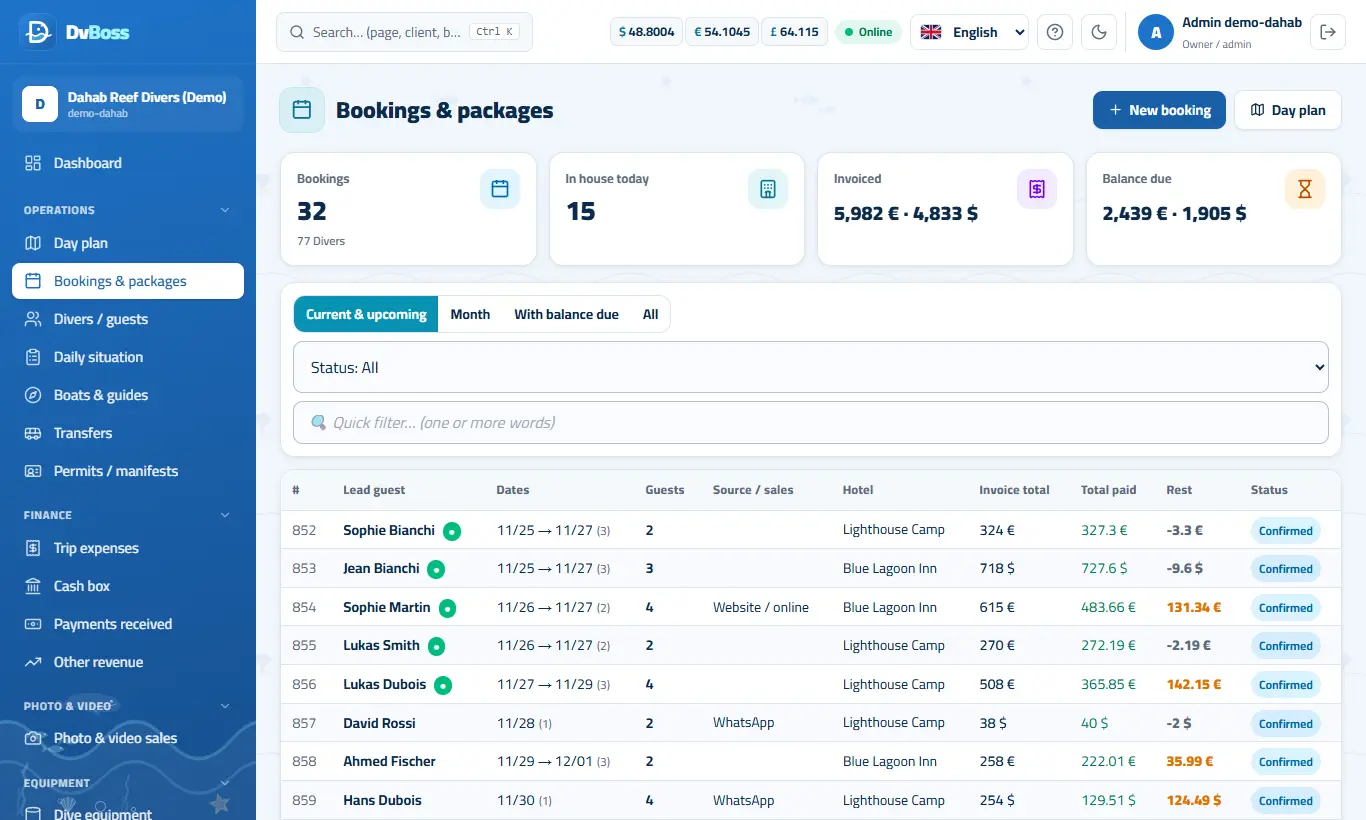
All bookings and packages, with invoice, paid and balance; opens the booking editor.
In the app: /bookings
Screens
 12345
- 1
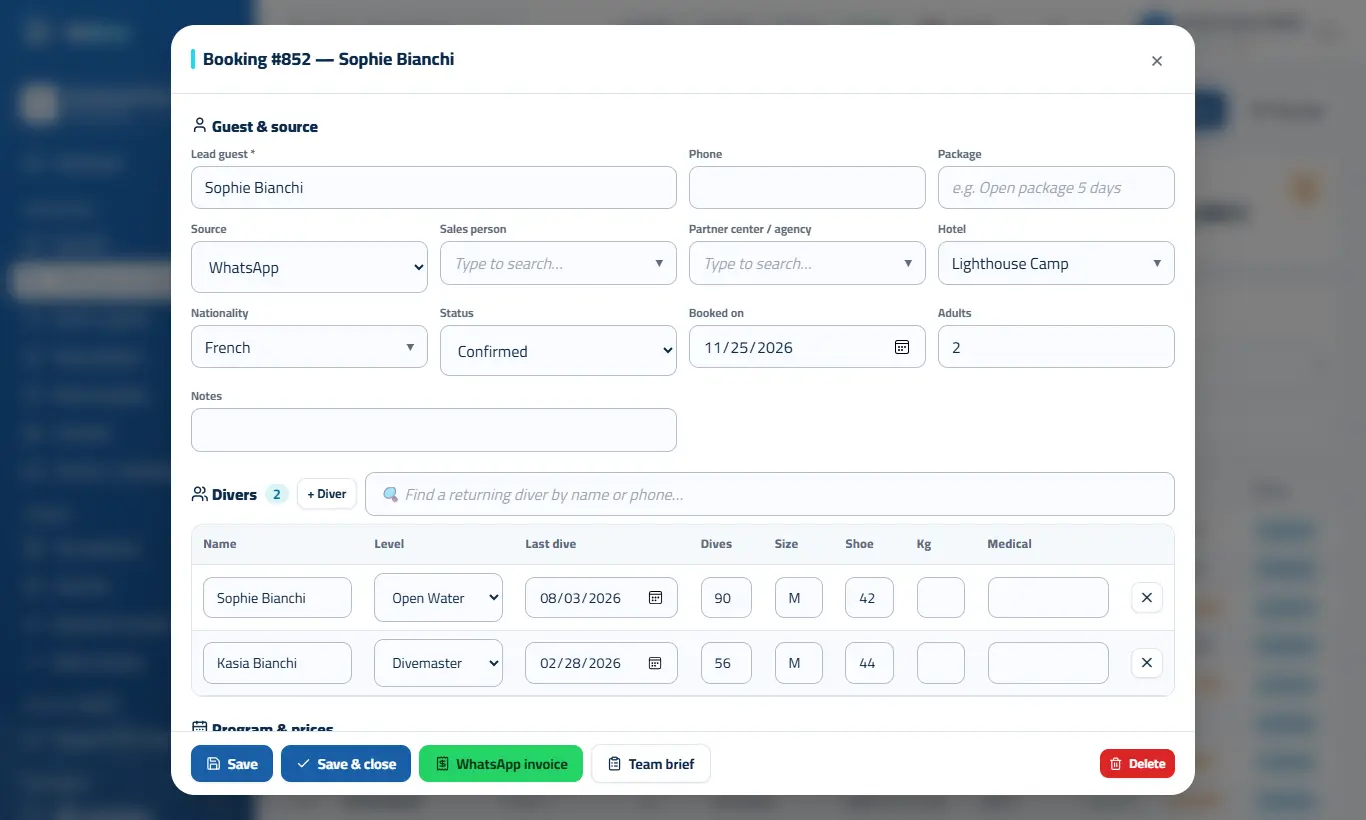
Guest & source — lead guest, phone, package, source, sales person, agency, hotel, nationality, status, date, adults.
- 2
Divers — search a returning diver or add one; level, last dive, sizes, weights, medical.
- 3
Save / Save & close.
- 4
WhatsApp invoice — copies the invoice text (and Send to guest when a phone is set).
- 5
Team brief — copies levels and sizes for the guides.
 1234
- 1
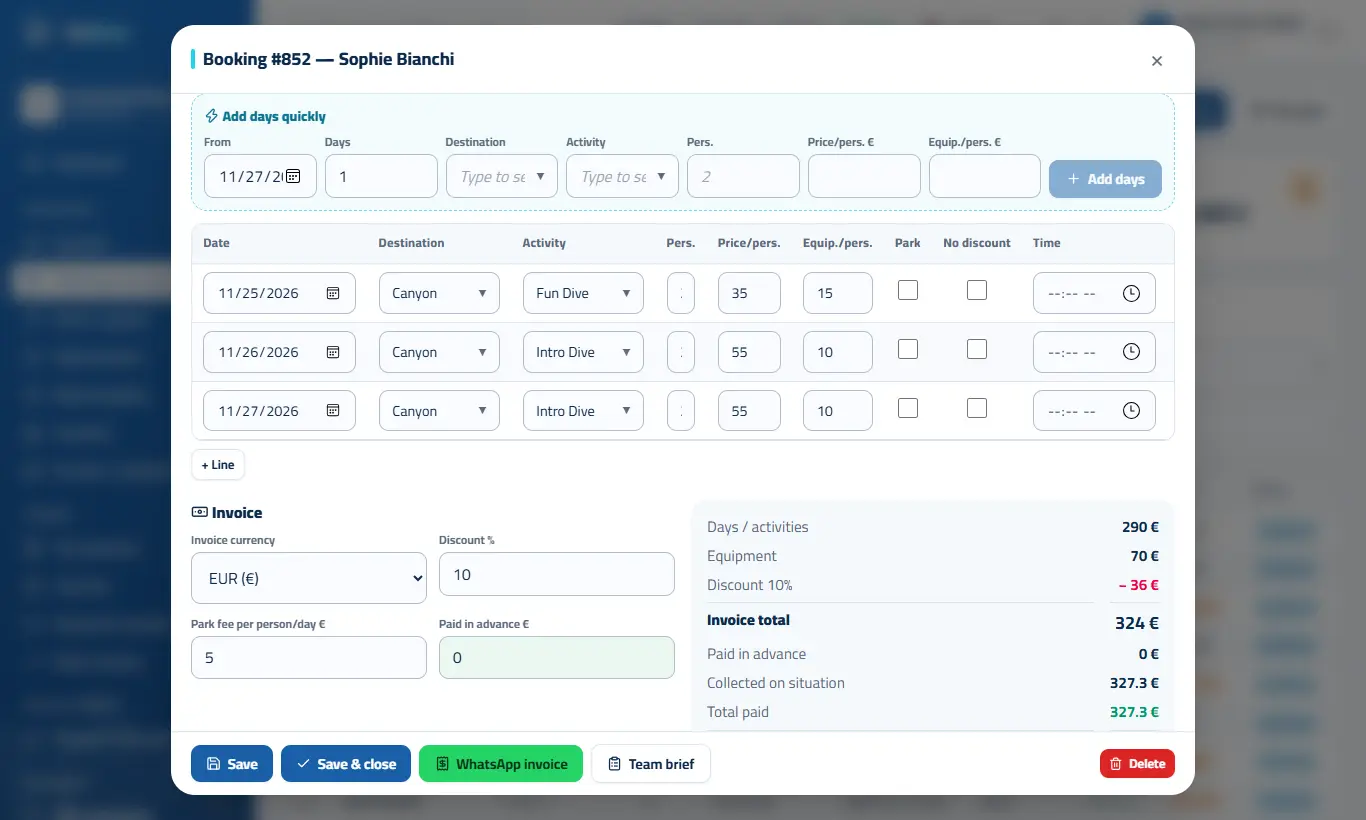
Add days quickly — from date, number of days, destination, activity, people, price and equipment.
- 2
Program lines — one per day; tick park fee or no discount, edit any value.
- 3
Invoice — invoice currency, discount %, park fee, paid in advance, and the live invoice / paid / rest.
- 4
In the daily situation — the rows this booking created, with what was collected on each.
Buttons and controls
New booking — opens an empty booking.
Day plan — jumps to the plan.
Current & upcoming / Month / With balance due / All — which bookings to list.
Status and quick filter — narrow the list.
Click a row — opens the booking. In the editor: Save, Save & close, WhatsApp invoice, Send to guest, Team brief, Delete.
Fields
Every field of the form, in the order the form shows them. * = required. "automatic" = filled in by the system.
| Field | Type | What to enter |
|---|---|---|
| Booked on* | Date | The day the booking was made (not the trip day). Dashboard "Today's bookings" counts by this date. |
| Lead guest* | Text | Name of the lead guest; also used as the guest name on the situation rows. |
| Package | Text | Package name, e.g. "5 days diving" — appears at the top of the WhatsApp invoice. |
| Phone | Phone | Phone number with country code, e.g. +49 170 1234567 — used for WhatsApp. |
| E-mail address. | ||
| Source | Choice | Where the booking came from. WhatsAppAt the centerWebsite / onlinePartner centerOther |
| Sales person | Pick a record | The employee who sold the booking. |
| Partner center / agency | Pick from a list | The agency or partner center that sent or pays for the guest. |
| Hotel | Pick from a list | The guest's hotel, from Lists → Hotels. |
| Nationality | Pick from a list | Nationality, from Lists → Nationalities. |
| Adults | Whole number | Adults; if left empty it becomes the number of divers. |
| Children | Whole number | Number of children. |
| From | Date · automatic | First program day. Automatic. |
| To | Date · automatic | Last program day. Automatic. |
| Days | Whole number · automatic | Number of program days. Automatic. |
| Status | Choice | Pending: not on the situation. Confirmed/Done: lines appear on the situation. Cancelled: rows removed. PendingConfirmedDoneCancelled |
| Invoice currency | Choice | The currency of all prices and the invoice of this booking. Base currencyCurrency 2Currency 3Currency 4 |
| Discount % | Number | Discount in % on prices and equipment of lines not marked "no discount". Park fees are never discounted. |
| Park fee per person/day | Number | Park fee per person, added for every line whose destination has a park fee. |
| Invoice total | Amount · automatic | Prices + equipment − discount + park fees. Automatic. |
| Paid in advance | Amount | What the guest paid before arriving; counts towards paid. |
| Notes | Text | Shown on the team brief. |
Good to know
The cards at the top add up the bookings listed: count and divers, in house today, invoiced and balance due per currency.
Who can do what here
| Role | View | Add | Edit | Delete |
|---|---|---|---|---|
| Owner / admin | ✓ | ✓ | ✓ | ✓ |
| Manager | ✓ | ✓ | ✓ | ✓ |
| Accountant | ✓ | ✓ | ✓ | ✓ |
| Operations / front desk | ✓ | ✓ | ✓ | ✓ |
| Photographer | — | — | — | — |
| Permit clerk | — | — | — | — |
| Read only | ✓ | — | — | — |